
Download MozillaCacheView – Browser Cache Recovery, Mozilla Cache Management, Firefox Cache Viewer
Overview
MozillaCacheView is a lightweight, portable utility designed to help users access and manage cached data stored by web browsers such as Mozilla, Firefox, and Netscape. This tool serves as a direct solution for individuals who need to recover specific files, images, or fragments of browsing history without launching the browser itself. Its primary purpose is to provide rapid access to cached content, making it particularly useful in scenarios involving data recovery, forensic analysis, or troubleshooting browser-related issues. The application is ideal for technical users, IT professionals, and anyone requiring quick access to cached web resources without the overhead of a full browser session.
As a no-install tool, MozillaCacheView operates cleanly on Windows systems, leaving no trace after use. This makes it a secure and efficient choice for temporary or on-the-go use. The developer, NirSoft, is known for creating a suite of small, effective utilities focused on system diagnostics and data recovery.
While the developer did not provide additional technical details, the app’s long-standing presence in the productivity tool space highlights its reliability and niche value. Real-world use cases include retrieving lost images from a website, analyzing cached content for research, or recovering temporary files after a browser crash. In the broader app ecosystem, MozillaCacheView fills a specific gap by offering a direct, lightweight alternative to browser-based cache inspection.
Key Features & Functionality
- Quick Cache Recovery: MozillaCacheView enables users to rapidly retrieve files stored in browser caches, such as images, scripts, and partial web pages. This feature is especially beneficial when users need to recover specific content without re-downloading it.
- No Installation Required: The tool runs directly from the executable file, eliminating the need for setup or system modifications. This ensures a clean, temporary usage experience with no registry changes or leftover files.
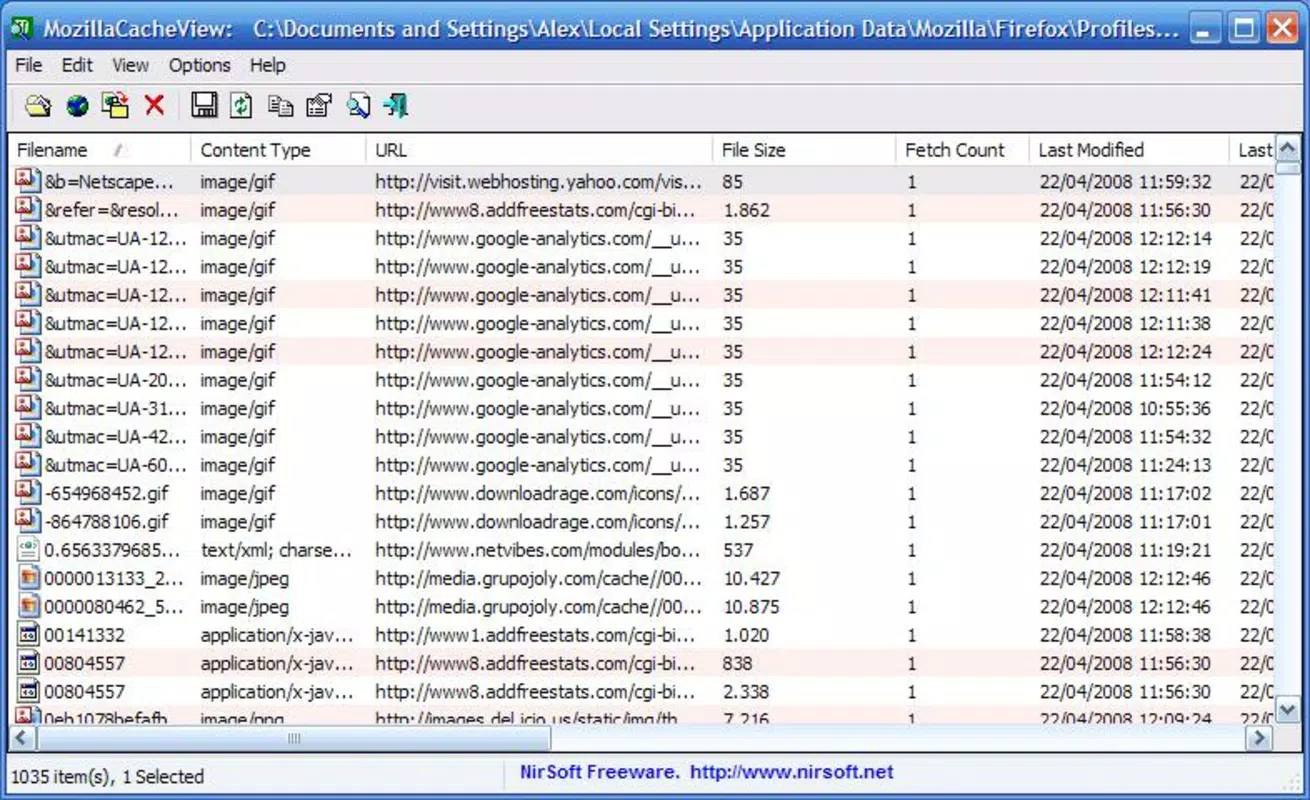
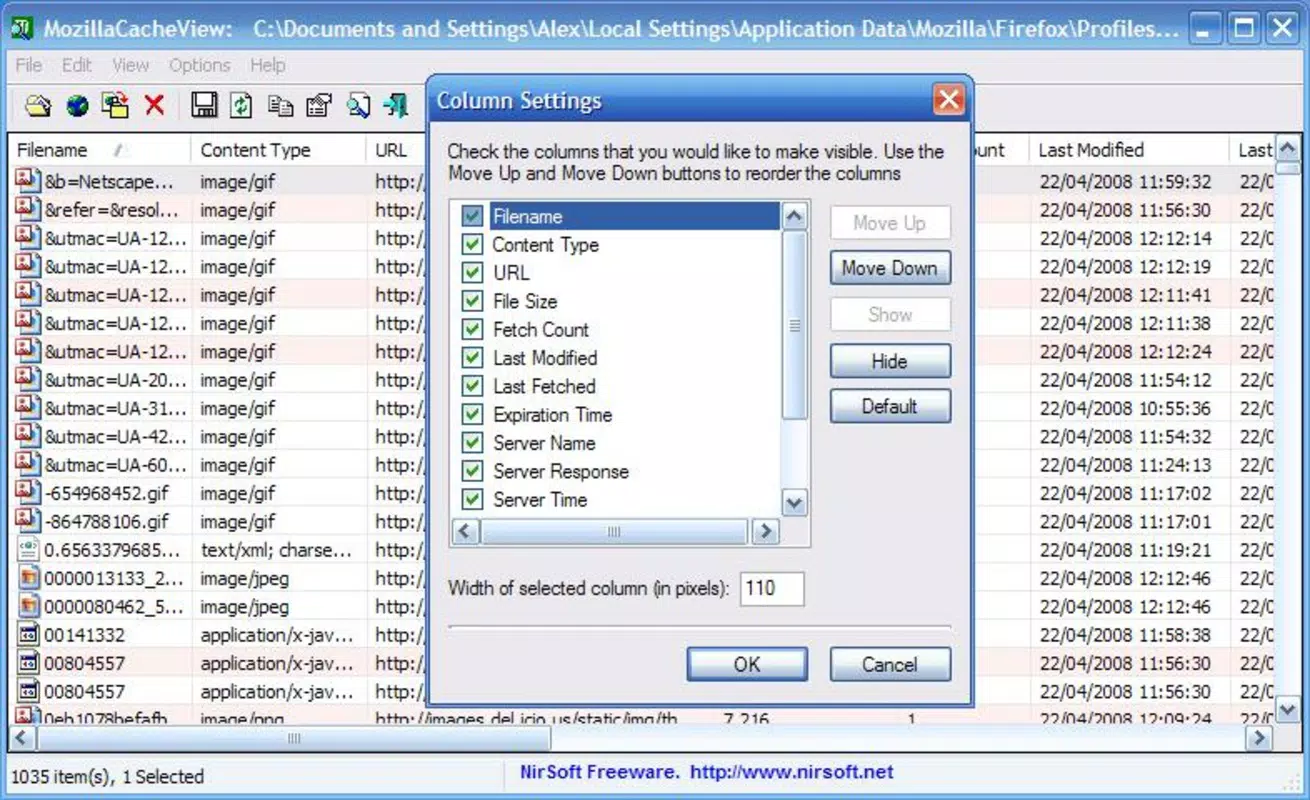
- Customizable Interface: Users can filter and display cache entries based on file type, date, URL, or size. This allows for a more focused and efficient review of cached data, reducing clutter and improving navigation.
- Supports Multiple Browsers: The application is compatible with Mozilla, Firefox, and Netscape, ensuring broad utility across different browser environments. This compatibility helps users manage cache data consistently across platforms.
- Portable Application: Designed to be carried on USB drives or external storage, MozillaCacheView can be used on any Windows device without installation. This portability enhances accessibility for users who work across multiple machines.
For example, a digital forensics analyst might use MozillaCacheView to extract cached images from a suspect’s browser history. Similarly, a web developer could retrieve a cached script to debug a site without accessing the live server. The tool’s ability to bypass the browser interface streamlines workflows and reduces time spent on repetitive tasks.
Interface, UX & Performance
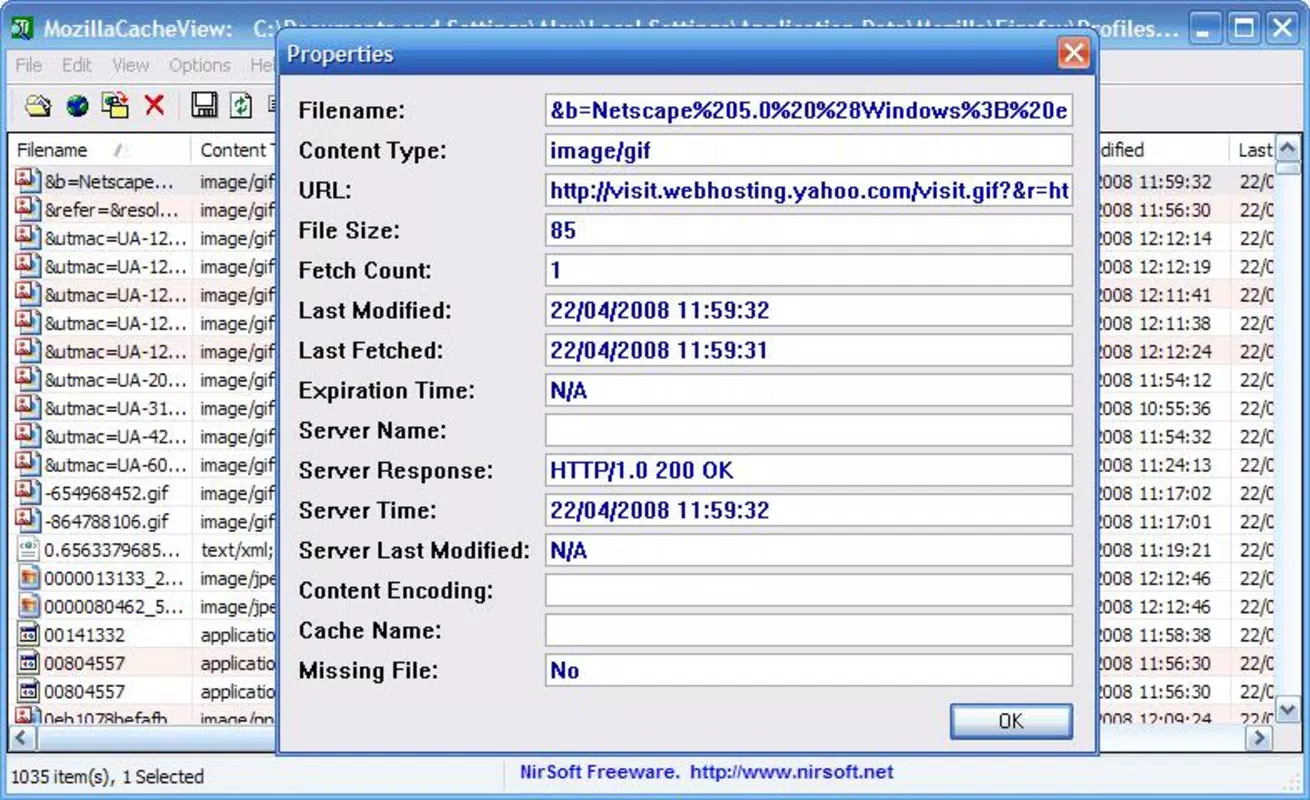
The interface of MozillaCacheView is minimalistic and text-based, reflecting its utility-focused design. It presents cache entries in a tabular format with columns for URL, file type, size, and date. Navigation is straightforward, relying on keyboard shortcuts and basic mouse interactions. While the visual style lacks modern polish, it prioritizes functionality over aesthetics, which aligns with its target audience of technical users.
Performance is efficient and responsive, even on older Windows systems. Although the developer did not list formal performance metrics, the application’s small file size of 134 KB suggests low resource consumption. It starts quickly and processes cache files without significant delays.
Responsiveness remains consistent across different device categories, including low-end machines. Stability is maintained during typical use, with no reported crashes or freezes in standard operations. The lack of installation also contributes to system stability, as no background processes or services are introduced.
Users can expect consistent behavior when accessing cache data, making it a dependable tool for occasional or frequent use.
Platform Compatibility & Technical Requirements
MozillaCacheView is designed for the Windows operating system and is compatible with various versions of Windows, though specific requirements were not listed. The application is distributed as a single executable file with a file size of 134 KB, making it highly portable and suitable for low-bandwidth environments. It does not require administrative privileges to run, which enhances accessibility on restricted systems.
The developer did not specify minimum OS requirements, nor did they provide details on supported Windows versions. However, given its release date in 2014 and lightweight nature, it is likely to function on modern Windows systems, including Windows 10 and Windows 11. The tool is not available for mobile platforms such as Android or iOS, as it is a desktop utility. Users should ensure they are running a compatible Windows environment before attempting to use the application.
Pros and Cons
Pros
- Lightweight and fast, with a file size of only 134 KB.
- Runs without installation, preserving system integrity.
- Supports multiple browsers including Firefox and Netscape.
- Portable and easily transferable via USB or external storage.
- Offers customizable filtering for efficient cache navigation.
Cons
- Interface is basic and lacks modern visual design.
- Not available for mobile platforms like Android or iOS.
- Compatibility with newer Windows versions is not officially confirmed.
- Limited to Windows operating system.
- Does not support modern browsers beyond Mozilla, Firefox, and Netscape.
FAQ
Is MozillaCacheView safe to use?
Yes, MozillaCacheView is a legitimate tool developed by NirSoft. It does not contain malware or unwanted software. However, users should only download it from official sources to ensure security.
Can I use MozillaCacheView on Android or iOS?
No, MozillaCacheView is designed exclusively for Windows and is not available for mobile platforms such as Android or iOS.
Do I need to install MozillaCacheView to use it?
No, the application is portable and runs directly from the executable file without installation. It leaves no traces on your system.
Is MozillaCacheView free to download and use?
Yes, MozillaCacheView is completely free to download and use. There are no hidden costs or subscription fees.
How do I update MozillaCacheView?
Updates are released by the developer, NirSoft, through their official website. Users should periodically check the official page for the latest version to ensure they have the most up-to-date functionality.
Final Thoughts
MozillaCacheView remains a valuable tool for users who need direct access to browser cache data without the complexity of a full browser. Its no-install, portable nature makes it ideal for IT professionals, digital investigators, and power users who require quick, reliable access to cached files. While its interface is outdated and limited to Windows, its core functionality is precise and effective. For those seeking a secure, lightweight utility to manage Firefox and Mozilla cache files, MozillaCacheView delivers consistent performance and reliability. Its niche focus ensures it remains relevant despite its age.
Download MozillaCacheView now


